Context
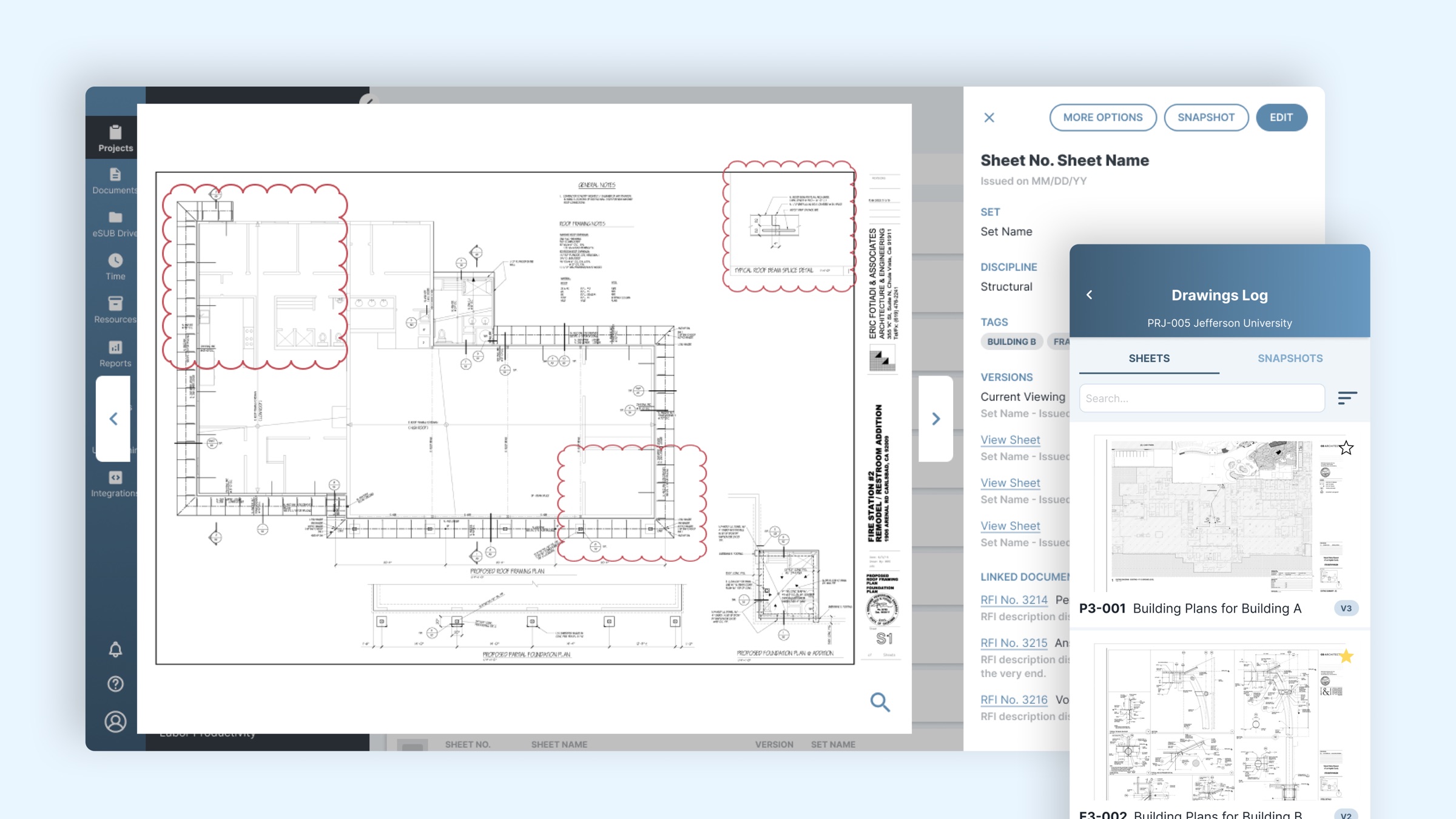
eSUB makes construction management software for subcontractors, simplifying daily work both in the field and in the office. Drawings, where teams upload plan sheets and organize the work and changes tied to them, was one of the most requested features, and several competitors already had it.
Drawings was part of eSUB Cloud 2.0, the new web and mobile platform I led design and research for, which replaced eSUB's legacy app. As the design lead for Drawings, I worked with the product owner, engineering, client services, and support from research through delivery.
Add the project timeline, e.g. "2022 — 2023".
Catching up wasn't enough
Without Drawings, eSUB was losing potential sales. Simply copying competitors would close the gap, but clients were already frustrated with how those tools worked.
How might we build a Drawings module that meets what the market offers, and also gives clients a better workflow that makes them more productive and accurate?
Learning from competitors' users
We talked with current clients and lost leads about what wasn't working and what could be better. Many of them used, or had used, competing tools, so they could walk us through those workflows and interfaces firsthand.
What we found
- Interfaces were hard to use and navigate.
- Updating information or assigning attributes across many sheets at once was difficult or impossible.
- Markup tools were either too simple or too complex.
- There was no easy way to link drawings to RFIs (requests for information).
Testing with clients every two weeks
We ran usability tests with clients every two weeks to check the value of what we were building and find what to improve next. The same themes kept coming up:
- Confirm the upload. People wanted to see how many sheets they'd uploaded.
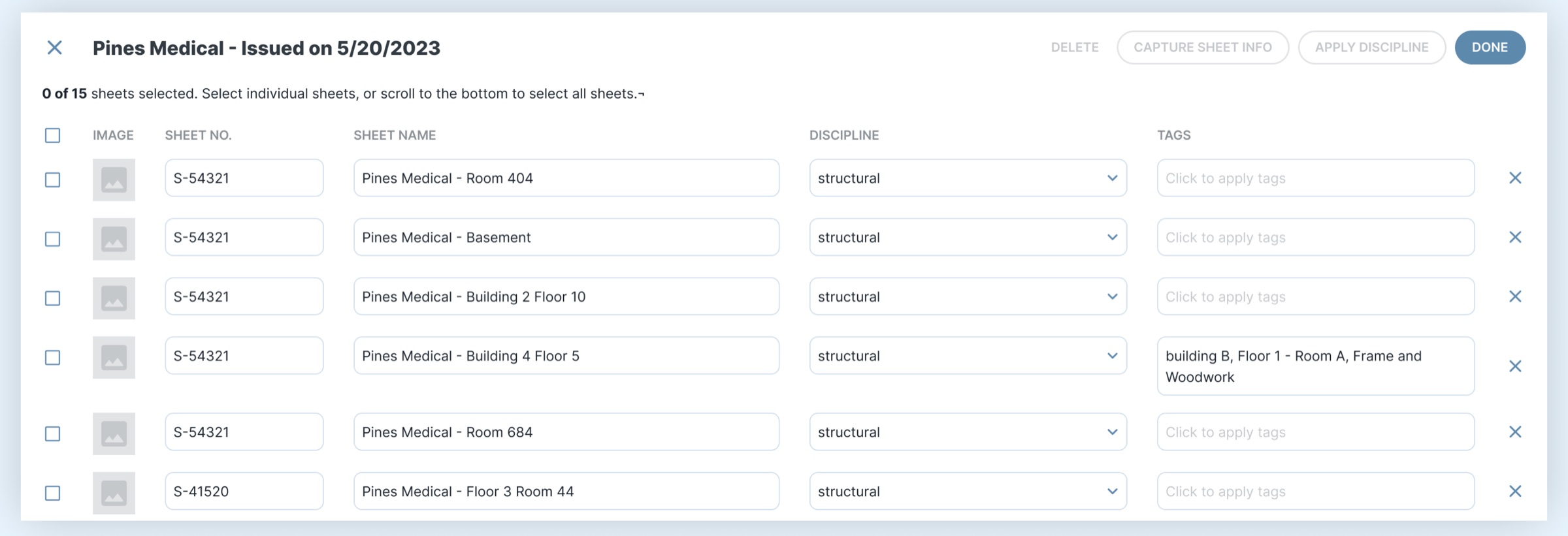
- Don't make me go sheet by sheet. Clients may upload hundreds of sheets at once and need to edit them in bulk.
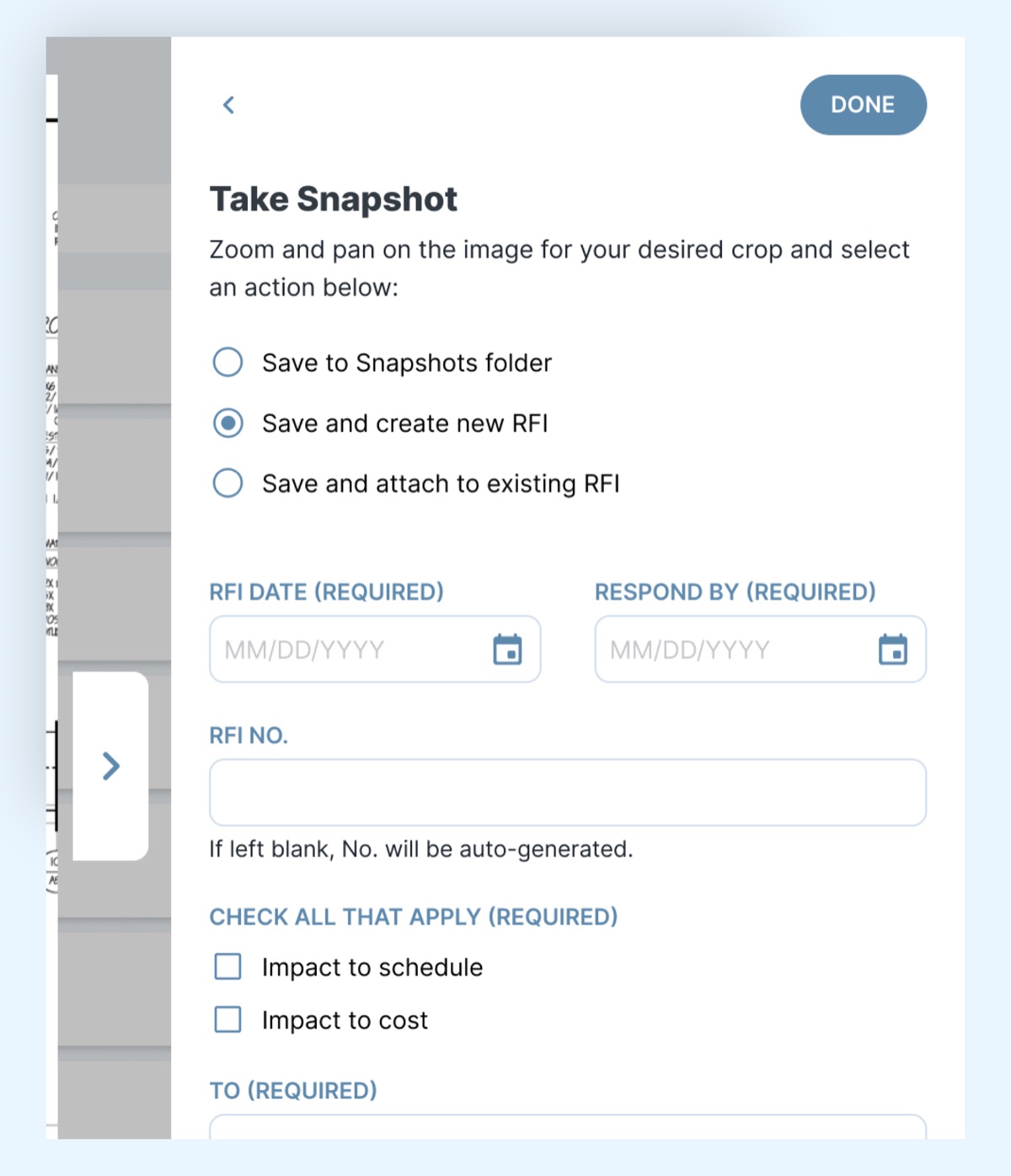
- Let me create an RFI right here. Exporting a snapshot first, then attaching it to an RFI, was an extra step they didn't want.
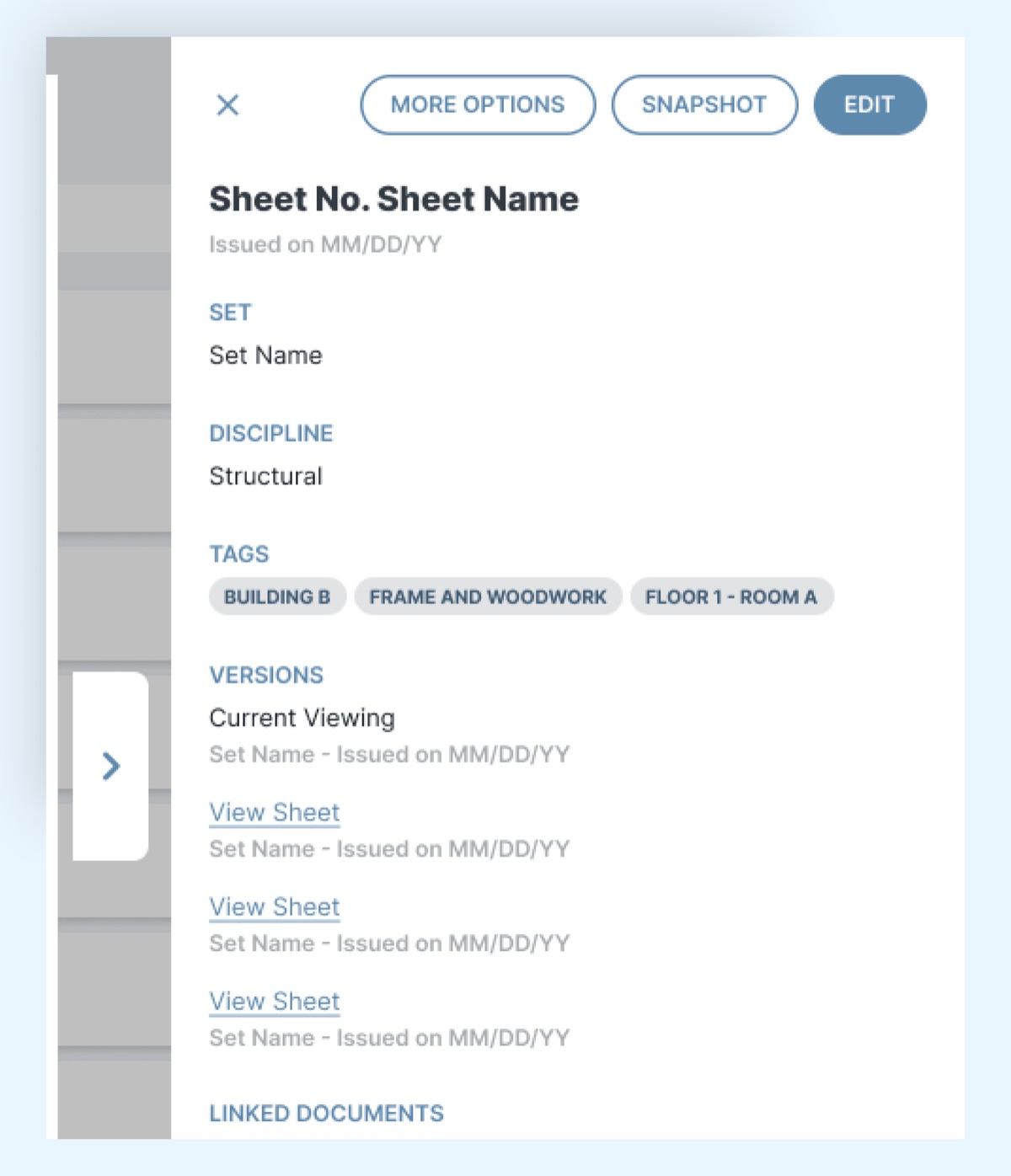
- Make sure I'm on the latest version. Looking at an outdated sheet puts a project's accuracy at risk.
What we built
The technology to support what clients needed didn't exist yet, so the product owner, engineering, and I started by building proofs of concept from the initial designs. We then adjusted the designs based on what we learned in testing.
Assign sheet attributes in bulk
After an upload, every sheet appears in one editable list with a running count of how many are selected. People can apply disciplines and tags to many sheets at once instead of opening them one by one.
Auto-capture sheet info
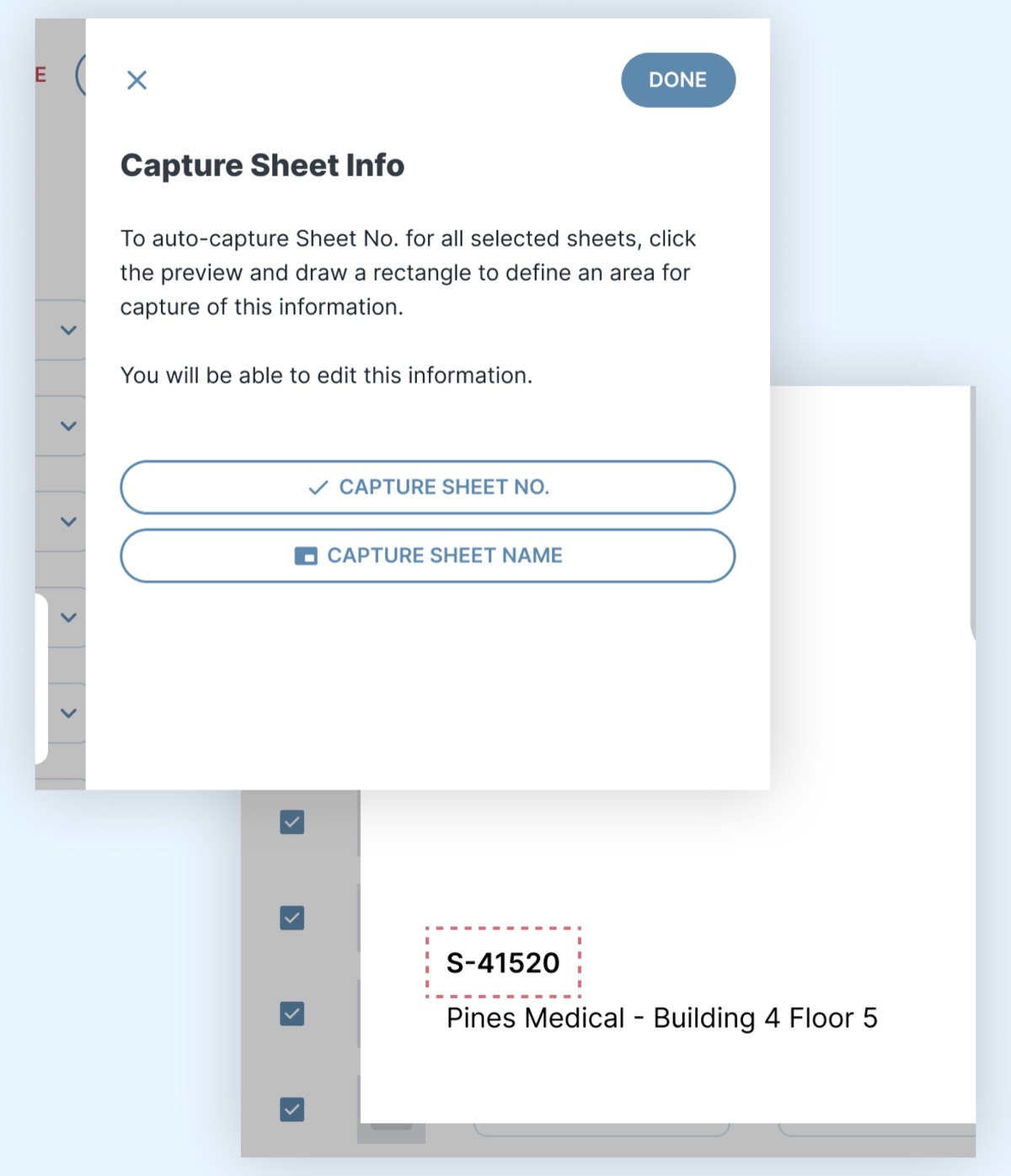
Instead of typing a number and name for every sheet, people draw a box around where that information sits on one sheet, and it's captured across all the selected sheets. They can still edit anything afterward.
Sheet versioning
Each sheet keeps its version history, so everyone on a project sees the most current version by default and can still look back at earlier ones.
Snapshots and RFIs
People can crop a snapshot of a plan and, in the same step, save it, create a new RFI, or attach it to an existing one. No more exporting and attaching separately.
Where it landed
The Drawings module was fully developed and moved into QA review. Your old write-up says it was in QA. Did it ship? Add any results you can share, like adoption, deals won, or client feedback.
Across eSUB Cloud 2.0 as a whole, the new platform raised user productivity 10% over the legacy app and recaptured 5% of lost leads.
What I learned
A sentence or two in your own voice. For example: what testing every two weeks taught you, or what it was like designing ahead of the technology.