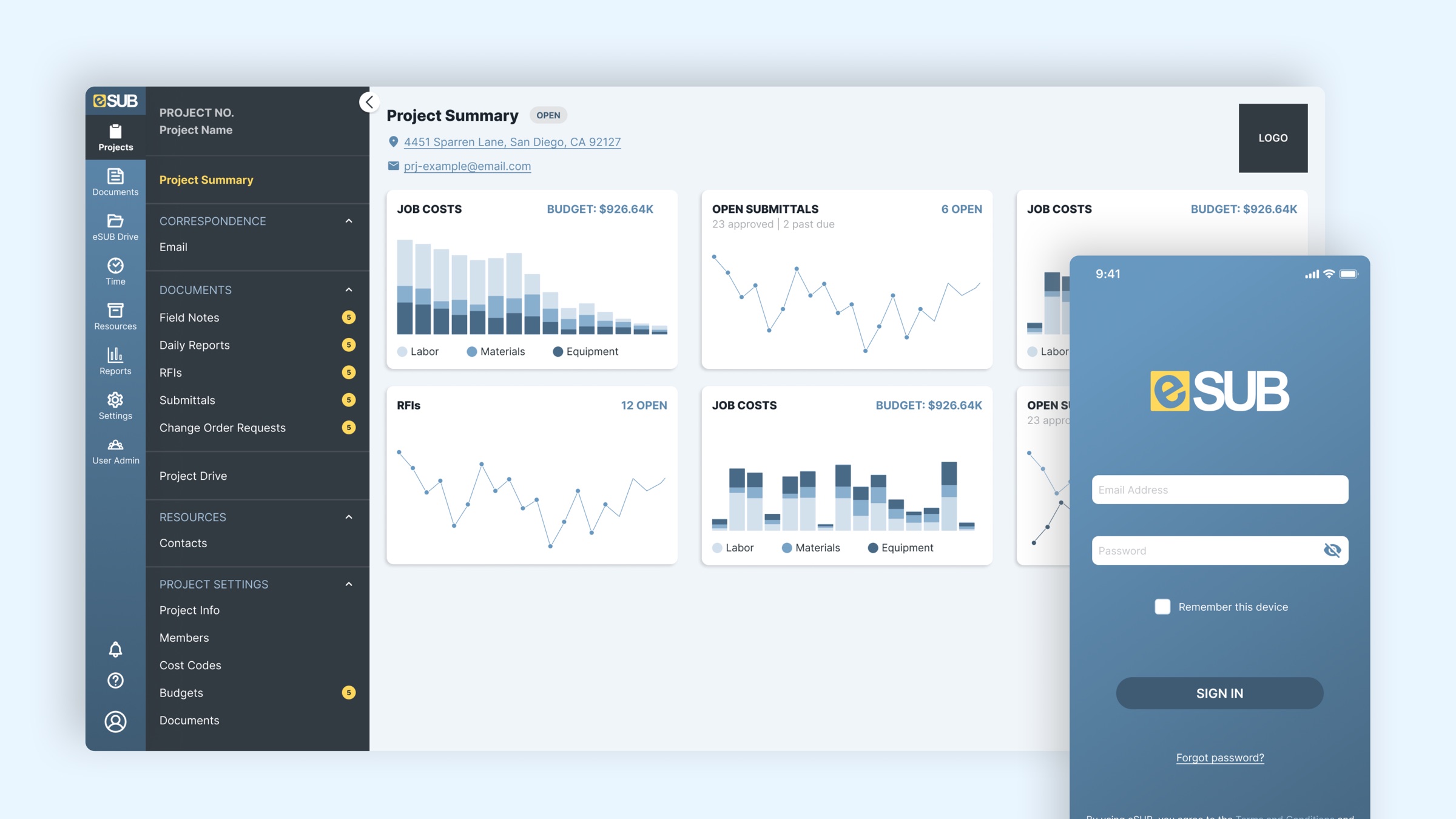
Taking decades of paper online
eSUB makes construction management software for subcontractors in the field and in the office. Much of their work is tied to contracts, codes, and permits that may need proof of documentation. eSUB takes processes that lived on paper for decades and moves them onto the computers, tablets, and phones people already use every day.
At the start of 2021, eSUB decided to rebuild the entire product: new architecture, a new tech stack, and a new design.
What clients were using
- eSUB 1.0: two connected platforms with very different designs, presented as one experience.
- Field Works: a separate app for creating specific documents in the field.
- Time App: another app for field workers to punch in and out.
Goals
Design a new web platform and mobile app that help field and office users complete their daily work effectively and efficiently.
Connect the web and mobile experiences, so work and communication hand off seamlessly between them.
Years of feedback, five pain points
We'd collected feedback on the experience and the platform's functionality for years. It pointed to five problems:
Outdated design
The sales team struggled to sell the product to leads because the interface looked old.
Too many clicks
Clients found everyday tasks tedious to complete.
Hard to navigate
The information architecture made it hard to find the right module for a task.
Dead features and settings
Deprecated features and settings were never removed, which caused confusion.
Too many mobile apps
Field workers had several apps to download, and none of them did enough.
Deciding what to rebuild, keep, and retire
Alongside the feedback, we pulled usage data from Pendo to see which features people actually used. For each feature, we asked three questions to set priorities and shape the roadmap:
Redesign entirely?
A new experience and new visual design.
Keep as is?
Keep the existing flow, but update the visual design.
Retire it?
Cut what isn't helpful, so the MVP could focus on the must-haves.
Checking in with clients every two weeks
As we worked through the roadmap, we met with clients every two weeks to:
- Understand their current and ideal use cases more clearly.
- Review our design approach and how it would solve their day-to-day needs.
- Demo the product in a test environment and gather feedback.
- Review roadmap priorities.
From eSUB 1.0 to Cloud 2.0
Before: eSUB 1.0
The old platform had been through a few redesigns, mostly visual. The result was an inconsistent experience that confused and frustrated clients, and sometimes led them to end their contracts.
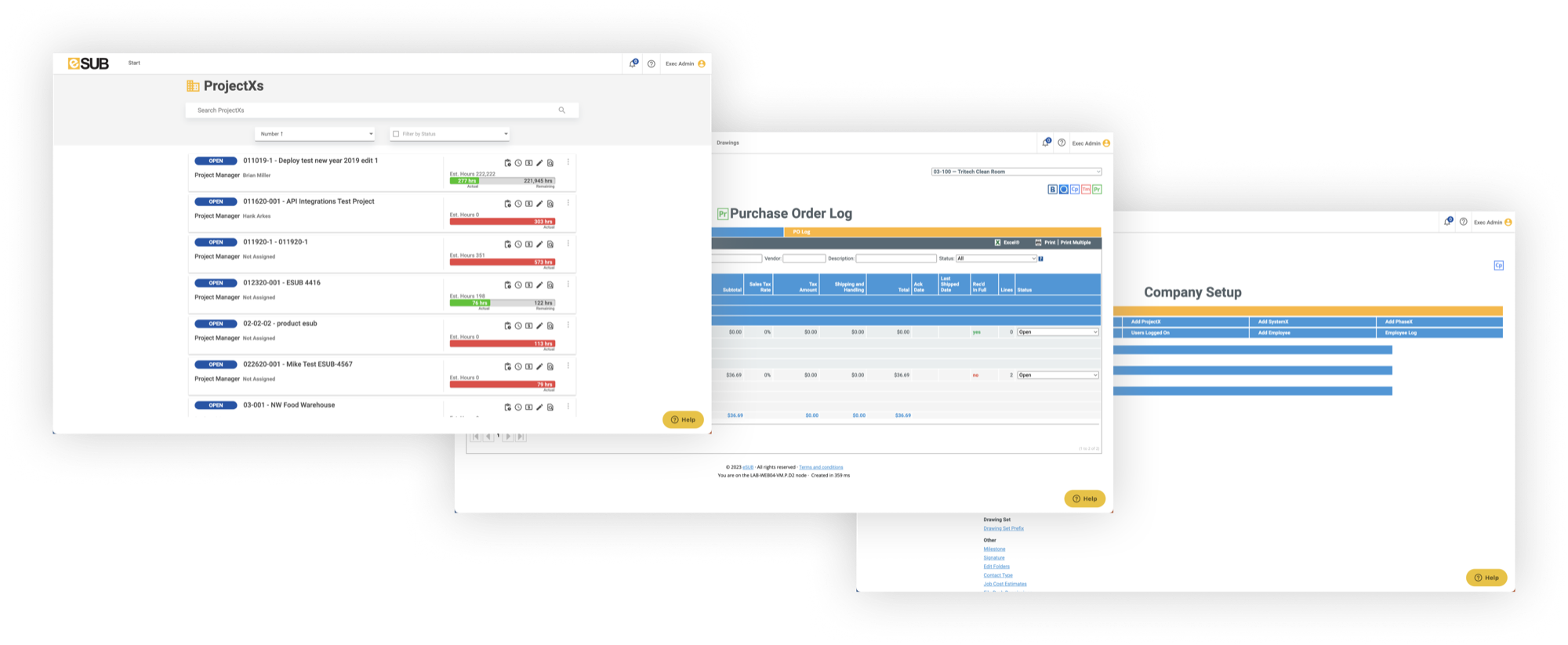
eSUB 1.0: three screens, three different visual styles.
After: eSUB Cloud 2.0
Clients keep contractual, deadline-driven documents in eSUB, so the first priority was helping them move their data into the new platform successfully, where they could get their work done as efficiently as possible.
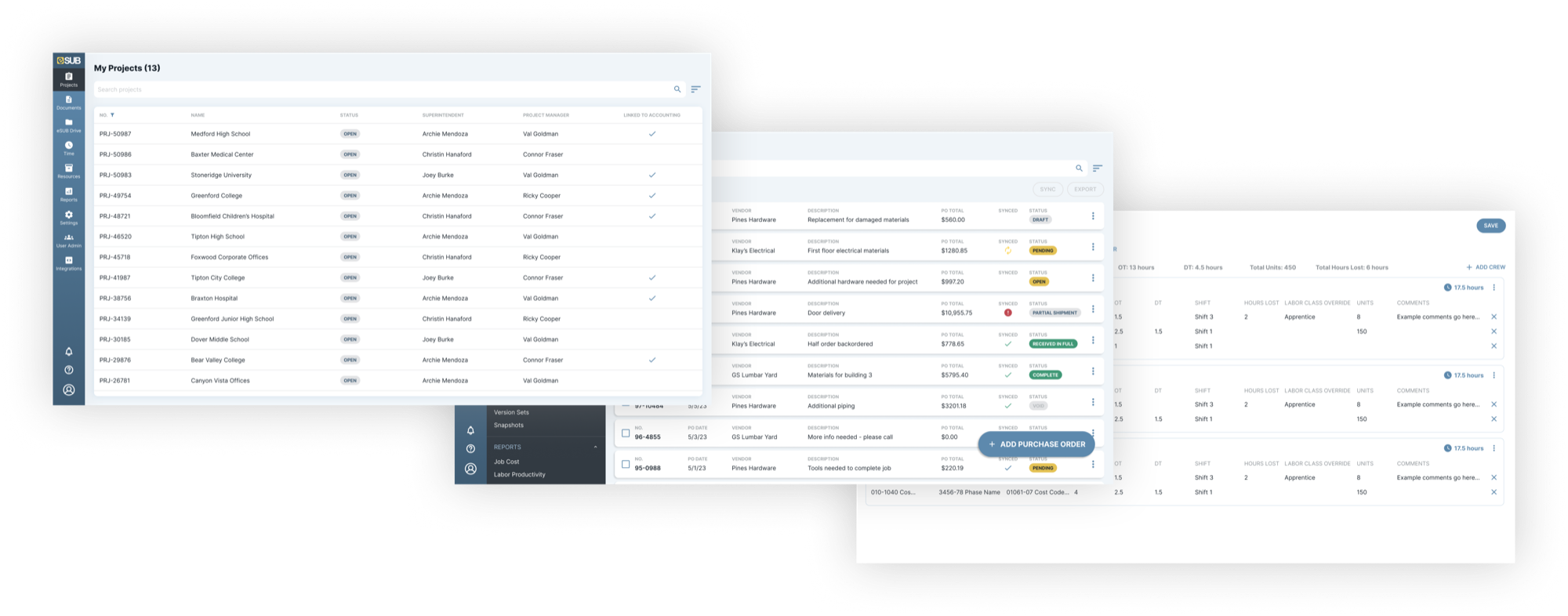
eSUB Cloud 2.0: one consistent system across projects, purchase orders, and time.
Design goals
- Simplify modules so tasks take fewer clicks.
- Improve the information architecture and navigation.
- Create a cohesive visual design that builds familiarity and confidence.
- Guide people toward helping themselves.
For a deeper look at one module, see the Drawings case study →
A new design system, built to be reused
I created an entirely new design system that fit the product's needs and direction. Components were designed to be reused across features, which kept the design consistent and made development faster and less effortful.
Ongoing improvements
- Fewer variants, using Figma's boolean properties.
- Auto layout settings tuned as Figma improved.
- UI spec guides for engineers covering layout, spacing, and when to use each component.
The library brought design and engineering closer together. We worked out solutions that fit the React component library engineering had chosen while still giving people the best experience.
Results
More productive users compared with the legacy app
Of lost leads recaptured
Fewer UX/UI bugs after the design library launched
The new platform replaced the legacy app with updated workflows, a new interface, and better third-party integrations. At last count, 7 modules had shipped, 2 were in development, and 2 were in design.
The module counts are from your old write-up. Update them to where things stood when you left in 2023, or remove them.
What I learned
A sentence or two in your own voice. For example: what it took to lead a full platform rebuild, or deciding which features to retire.